
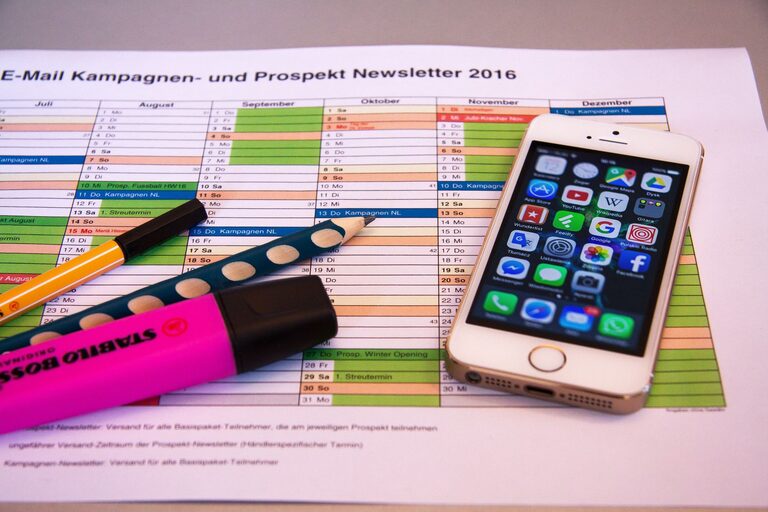
In today’s fast-paced world, our digital lives can quickly become cluttered. From overflowing inboxes to countless files scattered across devices, digital clutter can cause frustration and reduce productivity. Fortunately, decluttering your digital life is entirely achievable with a few practical steps. This guide will walk you through how to simplify your digital environment and create lasting habits for a more organized and stress-free experience.
Why Declutter Your Digital Life?
Before diving into the how, it’s helpful to understand why decluttering matters. A cluttered digital space can:
– Increase stress and distraction
– Make it harder to find important files or information
– Slow down your devices and apps
– Lead to missed deadlines or forgotten tasks
By taking control of your digital environment, you set yourself up for improved focus, efficiency, and peace of mind.
Step 1: Organize Your Files and Folders
One of the first places to start is your computer or cloud storage. Over time, files accumulate and get lost in a messy folder structure.
Tips for Organizing Files:
– Create broad categories: For example, work, personal, photos, bills, etc.
– Use subfolders: Break categories down into smaller groups, like “Work > Projects > 2024”
– Delete duplicates and unnecessary files: Be ruthless about removing outdated or redundant files.
– Name files clearly: Include dates or project names to make searching easier.
Setting up a consistent system now will save you hours of searching later.
Step 2: Clean Out Your Email Inbox
A cluttered inbox is a common source of digital overwhelm. With hundreds or thousands of emails, it’s easy to miss important messages or feel overwhelmed.
How to Tackle Your Inbox:
– Unsubscribe from newsletters you don’t read: This reduces future clutter.
– Create folders or labels: Sort emails by project, sender, or priority.
– Use filters or rules: Automatically move certain emails to folders or mark them as read.
– Archive or delete old emails: Keep only what’s necessary for reference or action.
Aim to keep your inbox as close to zero as possible. Even spending 10–15 minutes daily managing emails can make a difference.
Step 3: Manage Your Apps and Software
Unused or outdated apps take up storage and can distract you.
Steps to Manage Apps:
– Review all installed apps: Delete the ones you no longer use.
– Update essential apps: Keeping apps updated improves performance and security.
– Organize apps on your devices: Group similar apps in folders or arrange by frequency of use.
Limiting apps to the essentials helps maintain focus and frees up space.
Step 4: Streamline Your Passwords and Accounts
With so many online accounts, it’s easy to lose track of passwords or have unused accounts lingering.
Password and Account Organization Tips:
– Use a password manager: Securely store and generate strong passwords.
– Delete old or unused accounts: Reduce your online footprint and potential security risks.
– Enable two-factor authentication: Boosts security for important accounts.
Regularly reviewing your digital accounts keeps your online life safer and more manageable.
Step 5: Declutter Your Digital Communication
Apart from email, many of us use messaging apps, social media, and collaboration tools that can become overwhelming.
Managing Digital Communication:
– Mute or leave group chats that aren’t useful: Reduce unnecessary notifications.
– Organize contacts: Delete or archive contacts you don’t interact with.
– Set boundaries for social media use: Consider scheduling specific times to check apps to avoid distraction.
Simplifying communication channels helps you focus on meaningful connections and work.
Step 6: Backup Important Data
Decluttering doesn’t mean deleting everything. Important documents, photos, and work files should be backed up safely.
Backup Best Practices:
– Use cloud services: Platforms like Google Drive, Dropbox, or iCloud offer convenient backups.
– Keep an external hard drive: Maintain a physical backup as an extra safety net.
– Regularly update backups: Schedule monthly or weekly backups to avoid data loss.
Knowing your files are safely backed up lets you confidently delete what’s no longer needed.
Step 7: Develop Habits to Stay Organized
Decluttering is not a one-time task. Adopting a few simple habits ensures your digital life stays tidy over time.
Useful Habits:
– Set aside time weekly or monthly to tidy up files and emails.
– Delete or archive messages and files immediately after use.
– Review app usage and accounts every few months.
– Keep naming conventions consistent across files and folders.
Consistency over time makes maintaining digital order easier and less stressful.
—
Final Thoughts
Decluttering your digital life may seem overwhelming at first, but breaking it into steps makes the process manageable. With organized files, a clean inbox, streamlined apps, and secure passwords, you’ll enjoy a smoother, more focused digital experience. Start small, be patient, and embrace these habits to create lasting order and peace of mind in your digital world. Happy decluttering!